
Webhooks
Webhooks let the platform tell your other systems when something happens — a tenant signs up, a subscription changes, an invoice is paid. Events are delivered to your endpoints as signed JSON requests.
What you'll learn
- How to view and create webhook endpoints
- Which events you can subscribe to
- How to inspect and retry deliveries
Webhook endpoints
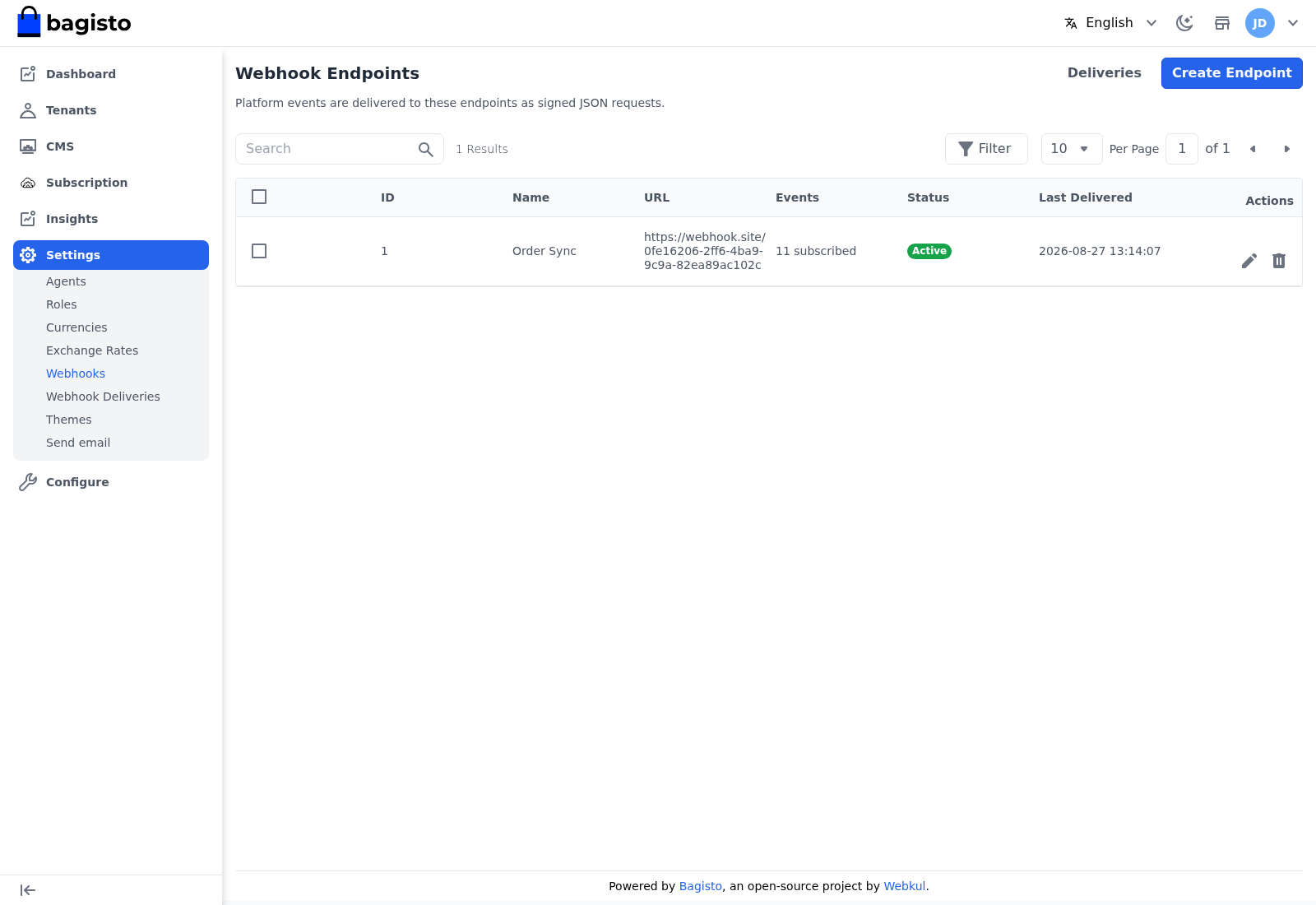
Go to Settings → Webhooks to see every endpoint, its URL, how many events it is subscribed to, its status, and when it was last delivered to.
Creating an endpoint
Click Create Endpoint and fill in the form.
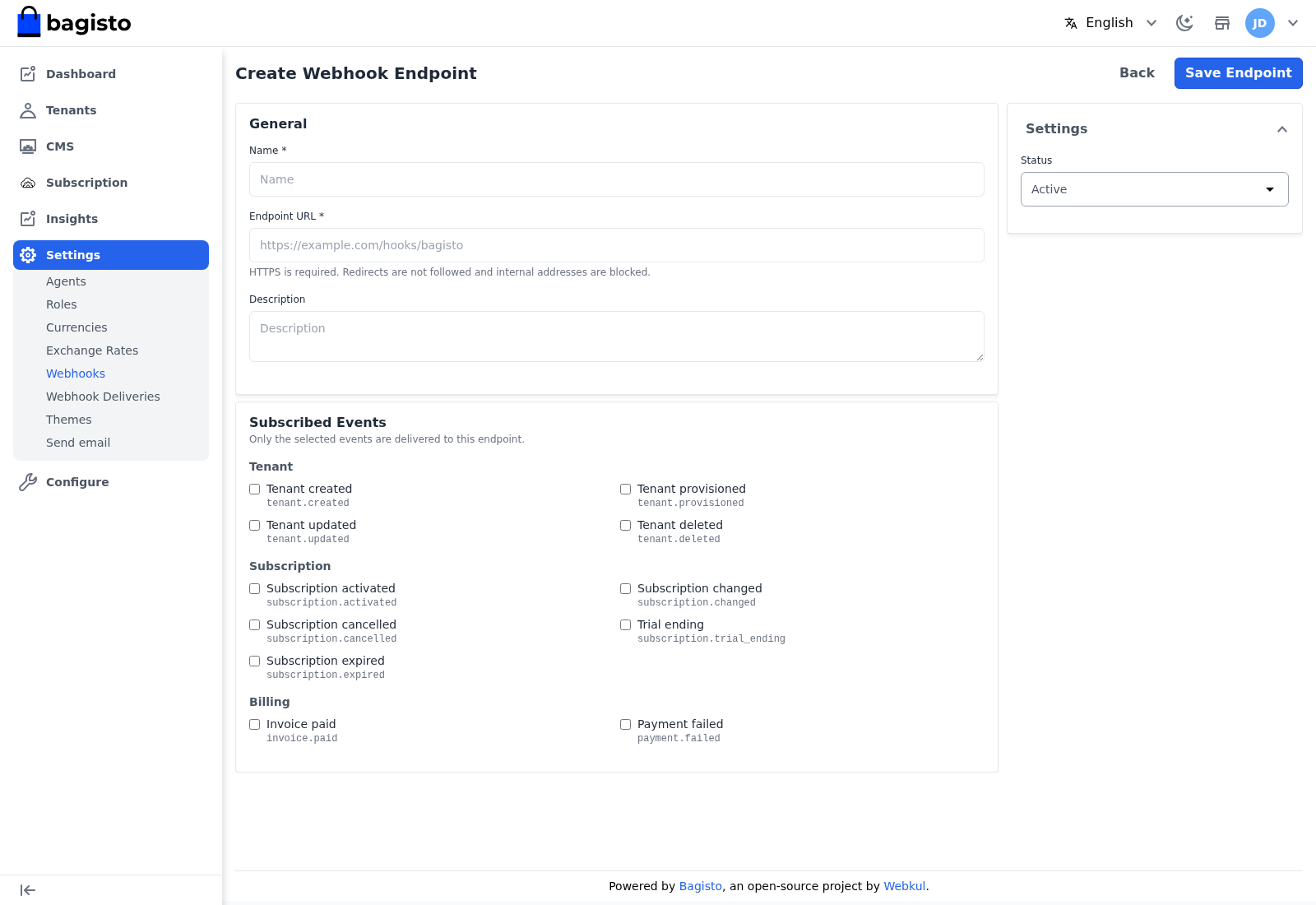
- Name — a label for the endpoint.
- Endpoint URL — where events are sent. HTTPS is required; redirects are not followed and internal addresses are blocked.
- Description — an optional note.
- Status — whether the endpoint is Active.
Under Subscribed Events, choose which events this endpoint receives, grouped as:
- Tenant — created, provisioned, updated, deleted.
- Subscription — activated, changed, cancelled, trial ending, expired.
- Billing — invoice paid, payment failed.
Only the selected events are delivered. Select Save Endpoint to finish.
Deliveries
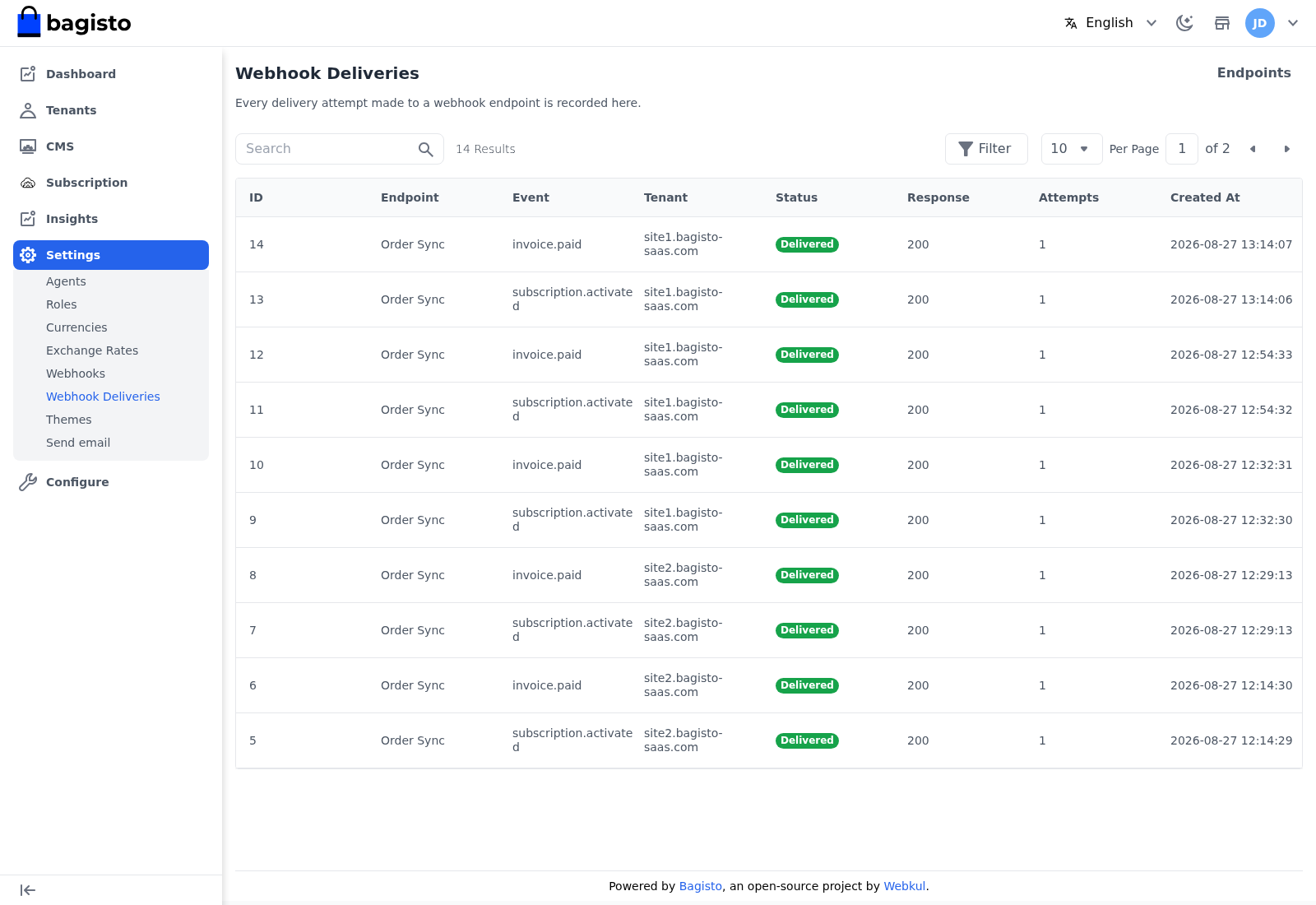
Go to Settings → Webhook Deliveries to see the log of every delivery attempt, its event, status, and timing. Open a delivery to inspect it, and retry one that failed.
TIP
Subscribe an endpoint only to the events it needs. A billing system rarely cares about tenant.updated, and fewer events mean fewer deliveries to secure and debug.