
Storefront Themes
A tenant's storefront can wear a different look depending on their subscription. Every store starts on the Default theme, and higher plans unlock a set of premium themes — ready-made designs a merchant can switch to without any code.
What you'll learn
- Which premium designs exist and how plans unlock them
- How a merchant chooses and customizes a theme
- What happens to themes when a plan is downgraded
The premium designs are Breeze, Fashion, Commercia, and Adornments.
Which themes a tenant can use
Premium themes are a plan allowance, set on each subscription plan as Premium Themes: Included or Not included (see Plan Management). A tenant can compare what each plan includes on the Billing → Plans screen.
- On a plan without premium themes, only the Default theme is available.
- On a plan with premium themes, all four premium designs become selectable.
Choosing a theme
A merchant sets the storefront theme on the channel. In the Tenant Admin panel, go to Settings → Channels, open the channel, and under Design pick the Theme from the dropdown.
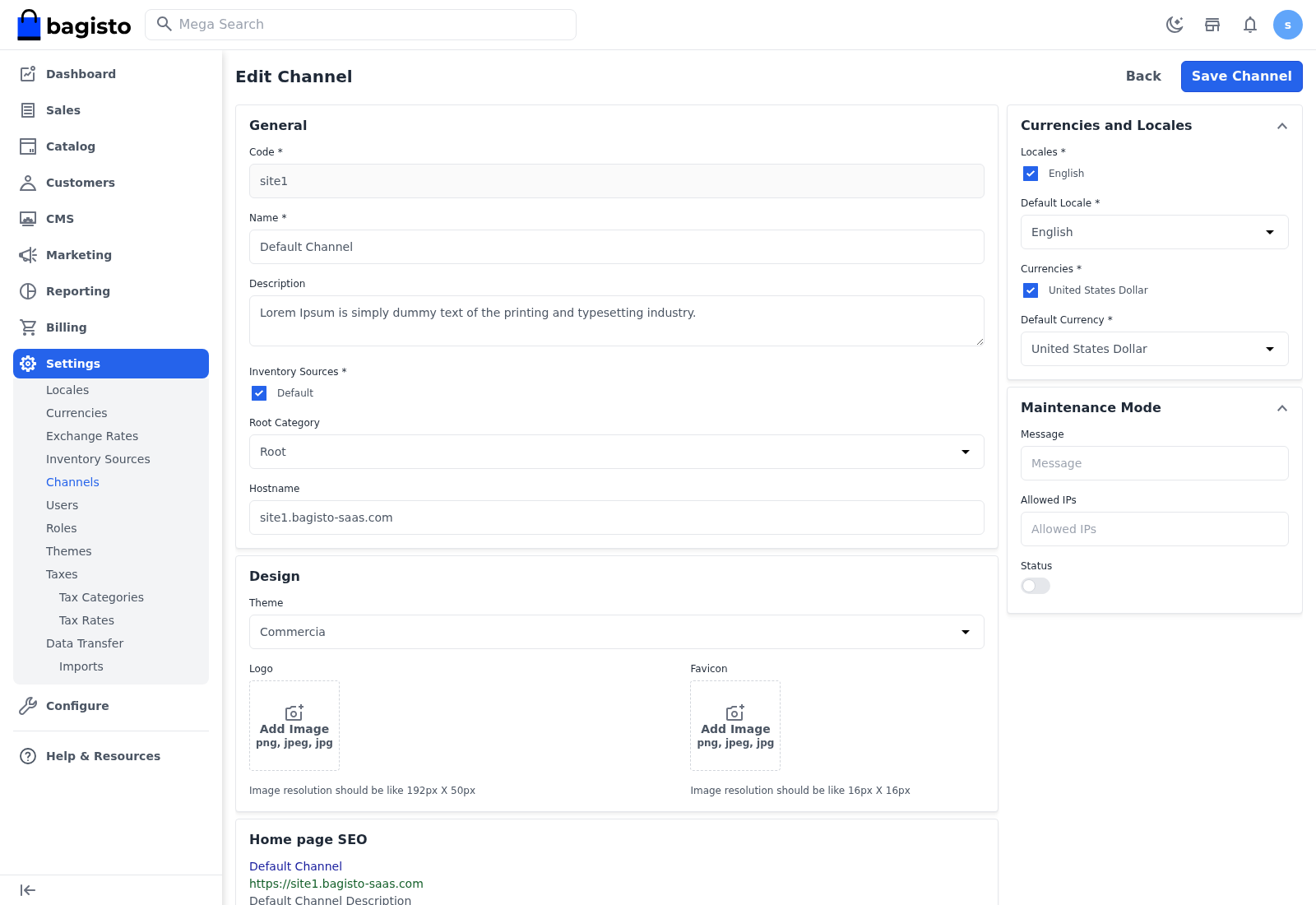
Only the themes the current plan allows appear as choices. Select Save Channel to apply the design to the storefront.
Customizing a theme
Once a theme is chosen, its content blocks — sliders, featured collections, static columns, footer links, and more — are managed under Settings → Themes. Each row is a block belonging to a channel and theme, with its type, sort order, and status.
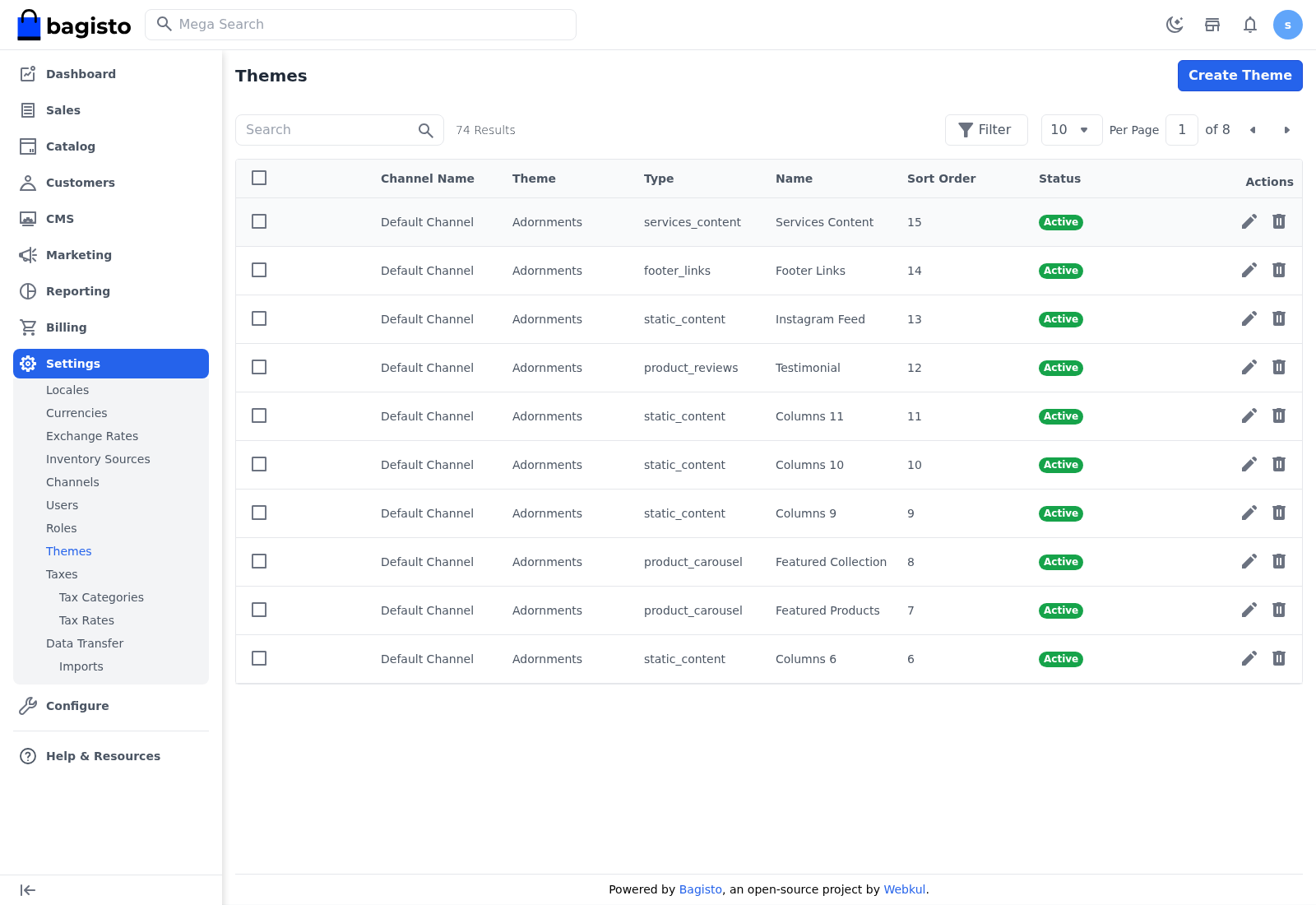
Use Create Theme to add a block, the Edit icon to change one, and the sort order to control where it appears.
Theme examples
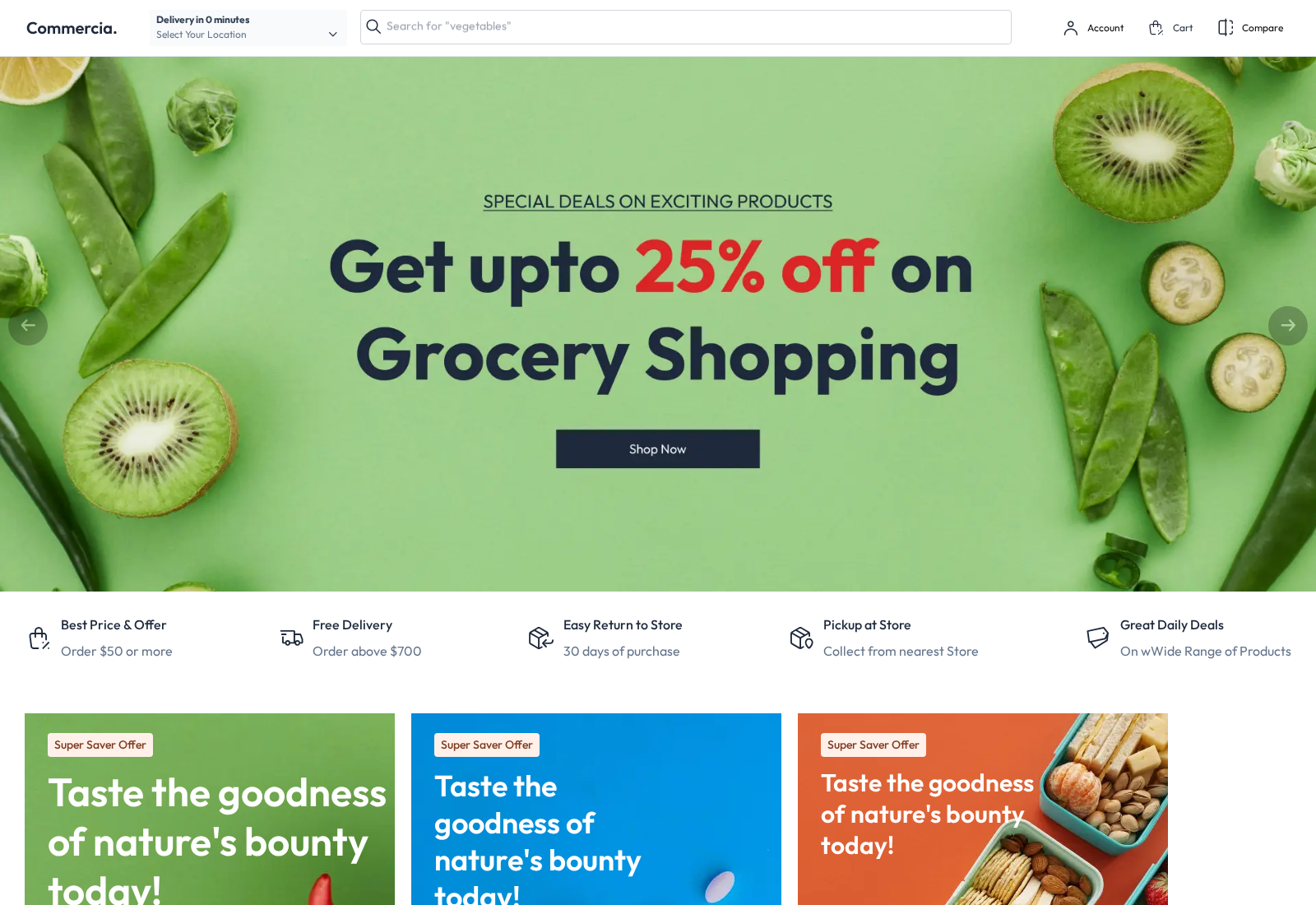
The same store looks completely different depending on the theme applied. The Commercia theme suits a grocery or everyday-essentials store:
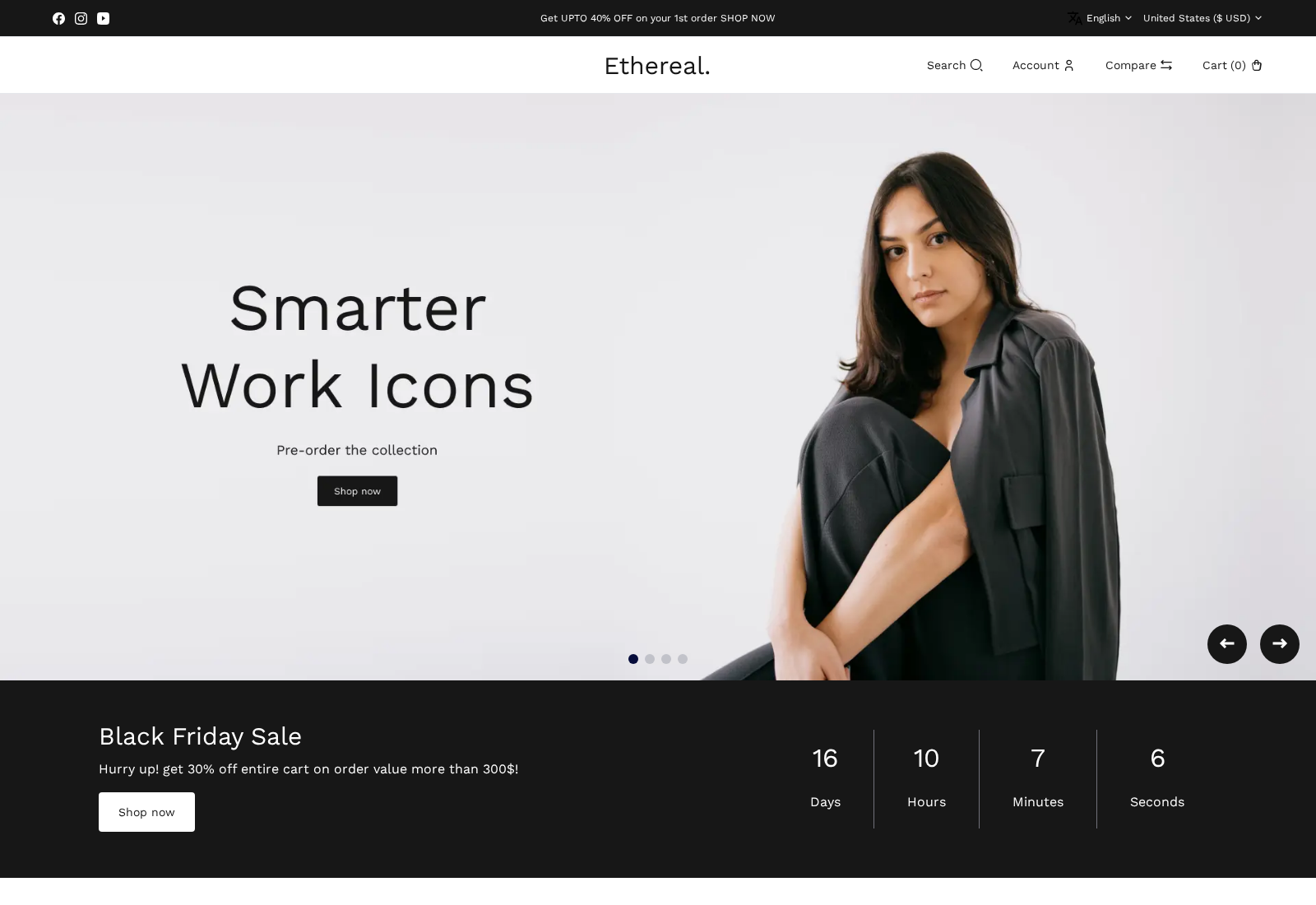
While the Fashion theme gives a clean, editorial look built for apparel:
WARNING
If a tenant moves to a plan that does not include premium themes, any channel still using a premium design is switched back to the Default theme automatically, and the merchant is emailed. Their theme customizations are kept and restored the moment they upgrade again to a plan with premium themes.
TIP
Match the theme to the catalog — Commercia for everyday goods, Fashion for apparel. Switching is instant, so a merchant can preview a design and change their mind without losing their customizations.