
Store & Admin Panel
After registration the store is live and the merchant has a full Bagisto backend to run it. This page covers the storefront and the admin panel a tenant works in day to day.
What you'll learn
- What the provisioned storefront looks like
- How the tenant admin panel and its setup checklist work
- Where day-to-day store operations are documented
The storefront
Once registration finishes, the store is live and ready for customers to browse and buy.

The admin panel
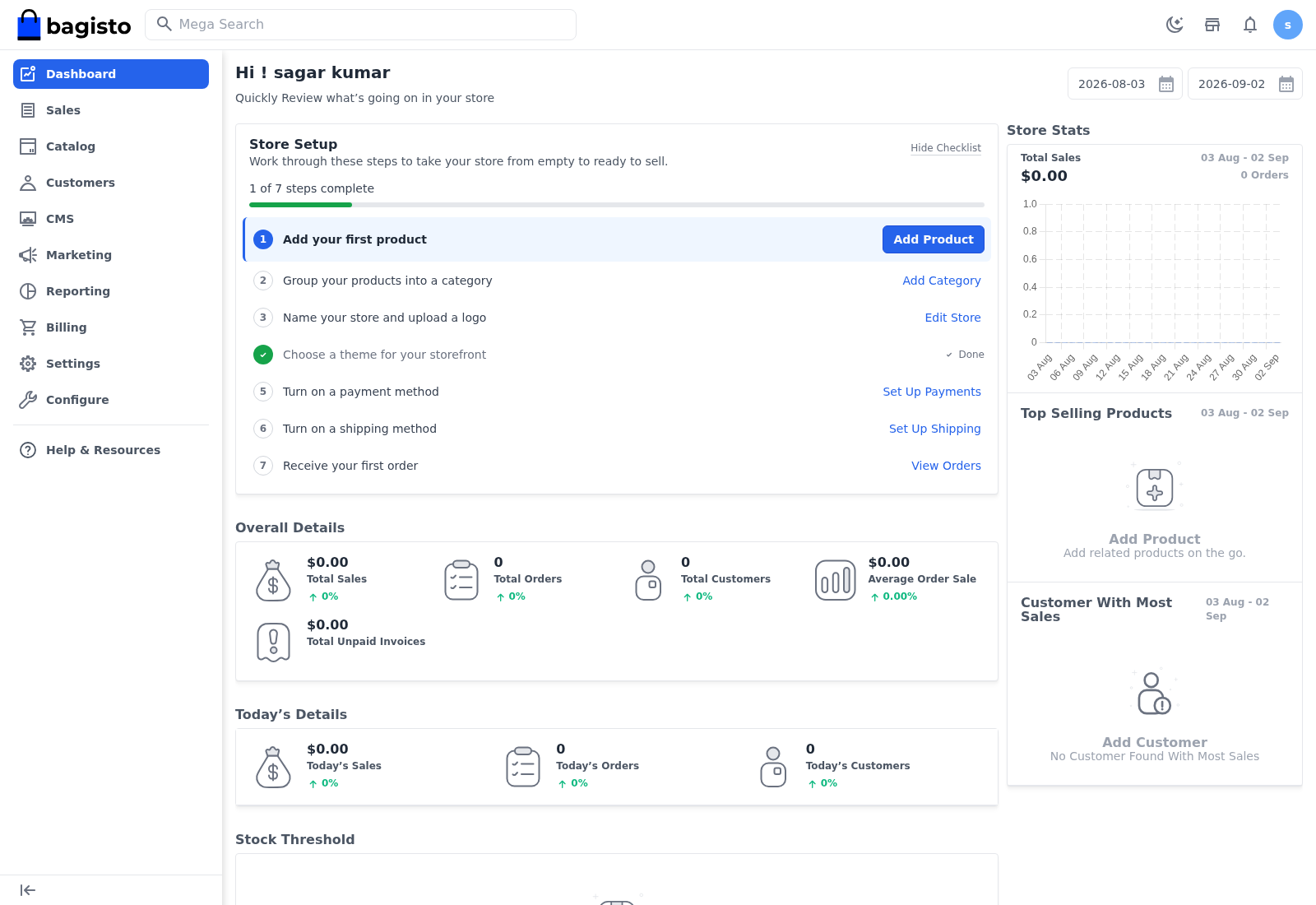
Signing in opens the Tenant Admin dashboard. A Store Setup checklist walks a new merchant through getting ready to sell — add a product, group products into a category, name the store and pick a channel, choose a theme, turn on a payment method and a shipping method, and receive the first order. Below it, the dashboard shows store stats and sales.
Running the store
The Tenant Admin panel is a standard Bagisto backend, so day-to-day store operations work exactly as in any Bagisto store:
- Catalog — create and manage products, categories, attributes, and attribute families under Catalog.
- Sales — handle orders, invoices, and shipments under Sales.
- Customers — manage customers and customer groups under Customers.
- Marketing, CMS, Reporting — promotions, storefront pages, and reports under their own menus.
For step-by-step guidance on these, see the main Bagisto User Guide.
TIP
The Billing menu is unique to the SaaS — it is where the merchant reviews their subscription, usage, and invoices. See Tenant Billing.