
Purchased Plans & Invoices
Once tenants start subscribing, you track who is on which plan and what they have been billed. This page covers the super admin's view of active subscriptions and their invoices.
What you'll learn
- How to see which tenants are on which plan
- Where to find subscription invoices
- How to assign or cancel a tenant's plan
Purchased Plans
Go to Subscription → Purchased Plans to see which tenants are on which plan, the amount, the billing period, and the profile state.
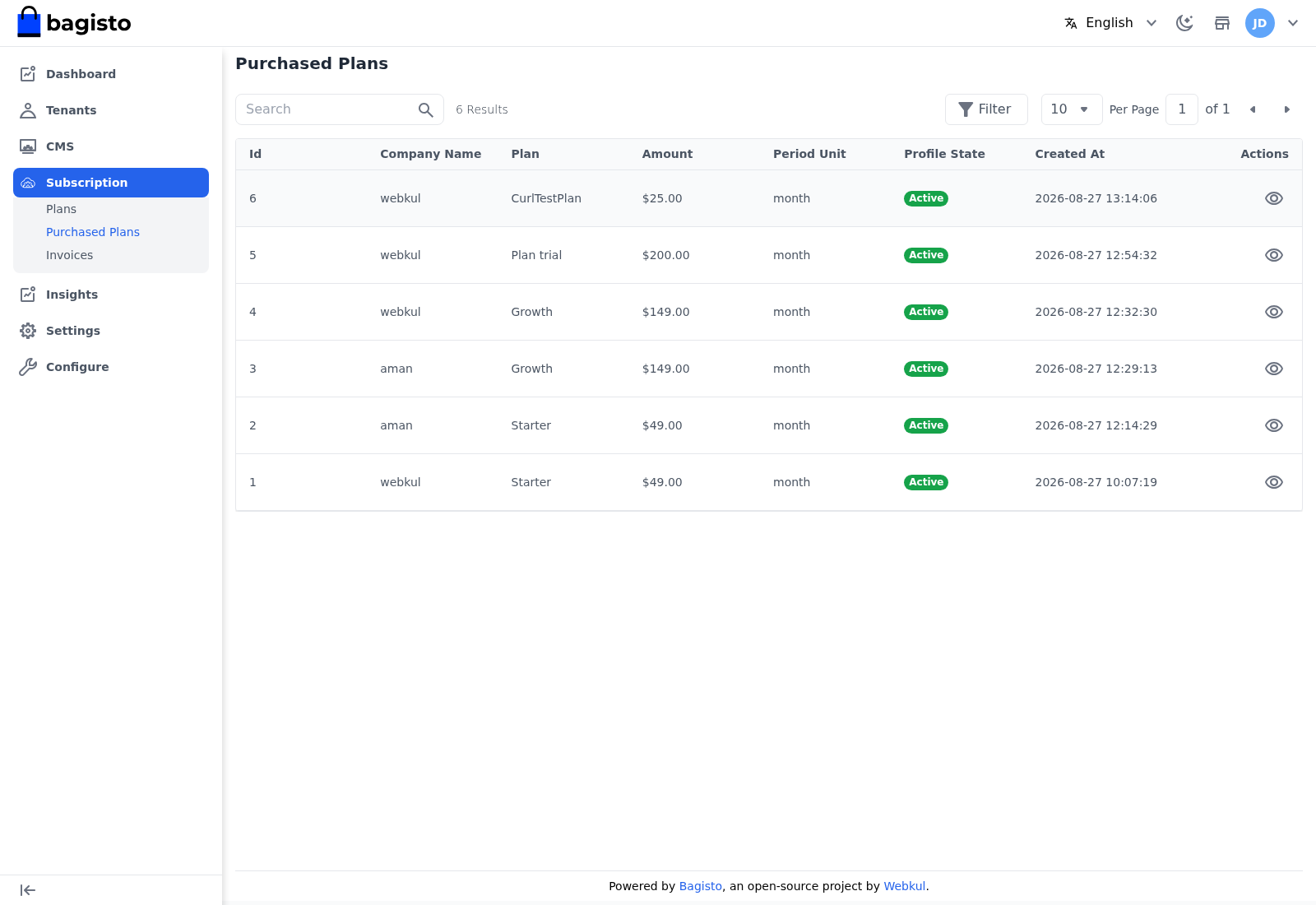
Click the View (eye) icon on a row to see the full subscription profile for that tenant.
Subscription Invoices
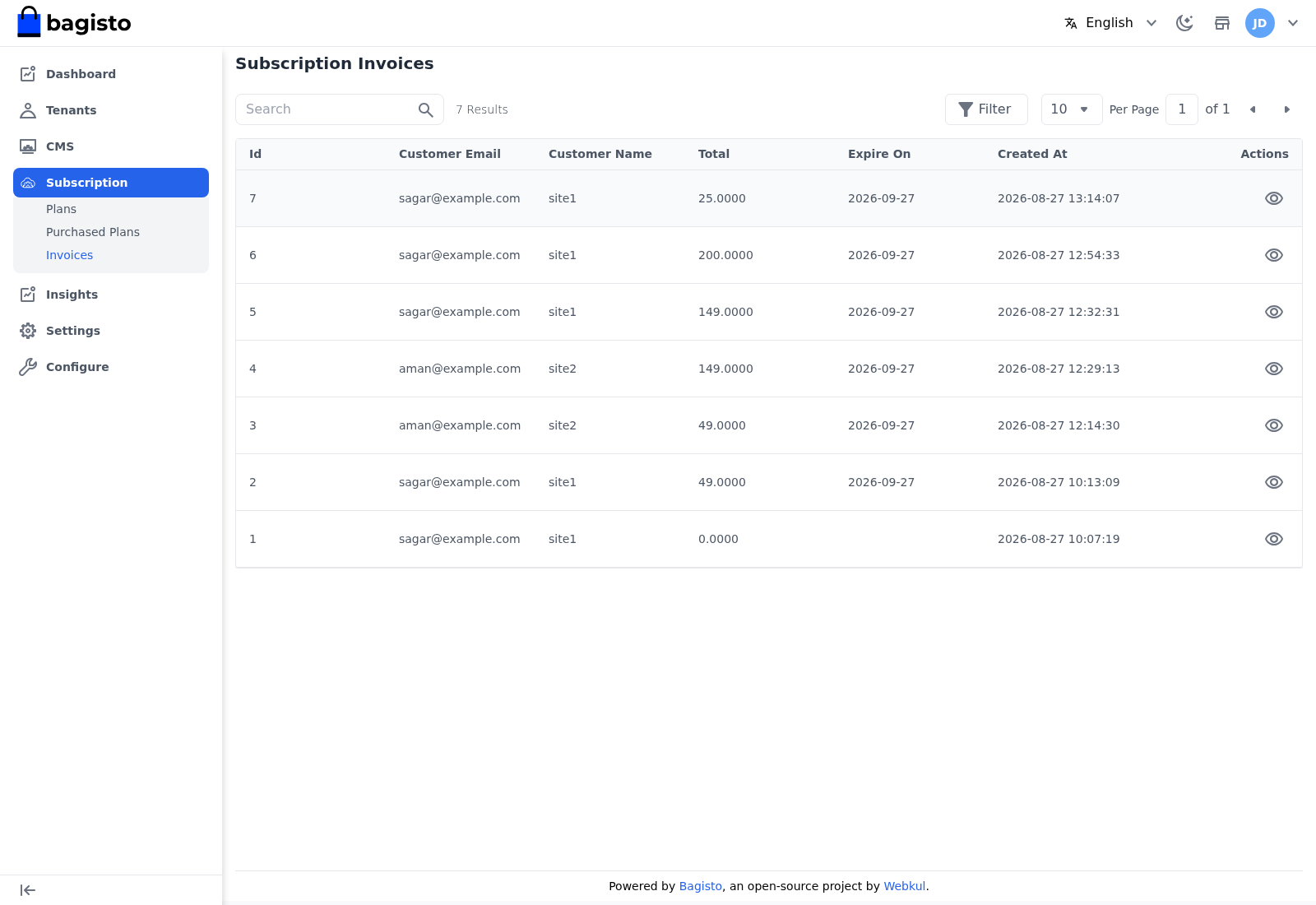
Go to Subscription → Invoices to see every invoice raised for a subscription, with the customer, total, expiry, and creation date. Click the View icon to open an individual invoice.
Assigning or cancelling a plan
From a tenant's insights page you can Assign a plan to a tenant directly, or Cancel Plan to stop their current subscription.
TIP
Use Assign to grandfather a tenant onto a specific plan without making them go through checkout — handy for migrations, trials, and negotiated deals.